Module 02 · TCRK XERP

Stock & Bill of Materials

Your factory shouldn't redraw a pergola that's already sold. Define the product once; as sizes and options change, the right material list, cuts and routing follow automatically.

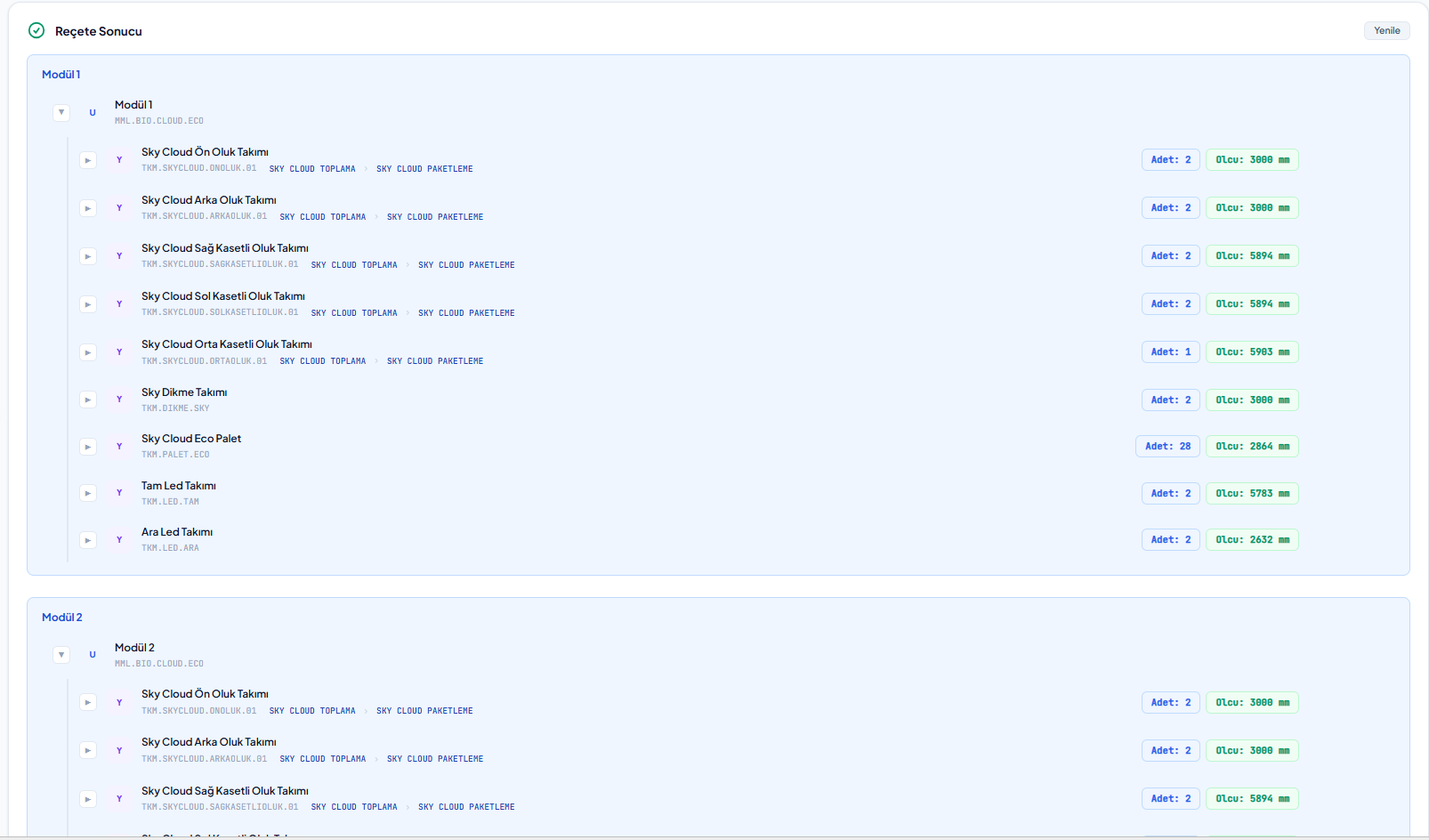
Automatically generated BOM result: assemblies, quantities and dimensions

The TCRK XERP Stock & Bill of Materials module combines a multi-level bill of materials (BOM) driven by product questions and quantity and dimension formulas, workstation routing, warehouses, stock slips and inventory management for made-to-measure products such as pergolas.

Formula-driven BOM tree

Quantity and dimension formulas, rules, loops, multiple levels.

Product questions

Dynamic product form with on-screen questions and calculated values.

Routing

Product-specific workstation routings built from routing templates.

Warehouse and inventory

Warehouses, stock slips, movements and inventory report.

Product questions

A form that asks about your product in your own terms.

For each product you define questions such as width, projection, height, color, motor and LED. Calculated values (number of panels, rail spacing, gutter length…) are found automatically with formulas; questions are grouped into columns and copied between products.

  • On-screen questions and calculated-value questions
  • List questions with database queries as data sources
  • Column layout and copy-paste between products
  • Client scripts and an HTML template attached to the product card
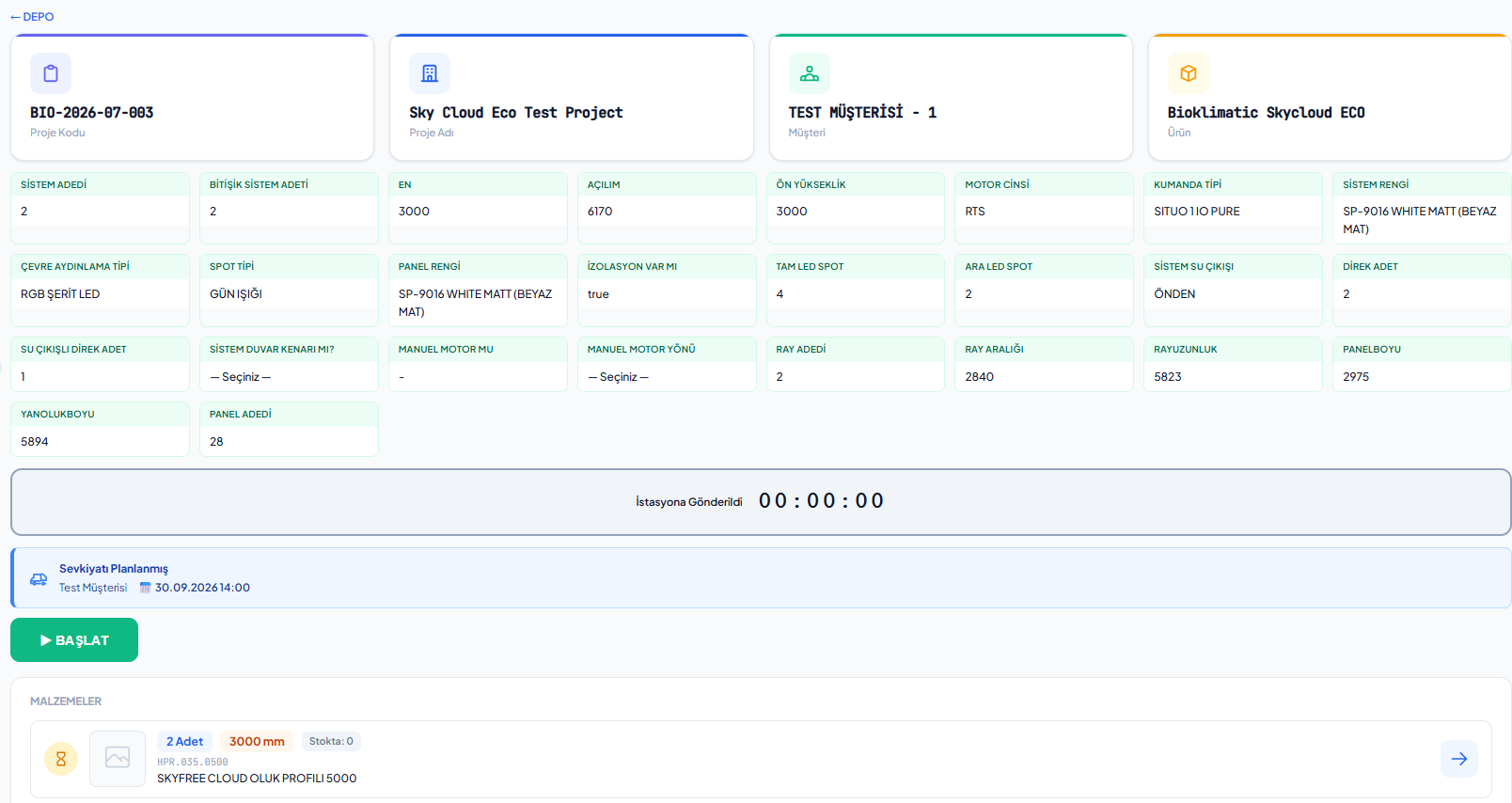
Product questions and answers for a pergola project on a tablet
BOM tree

The right material list, at every size.

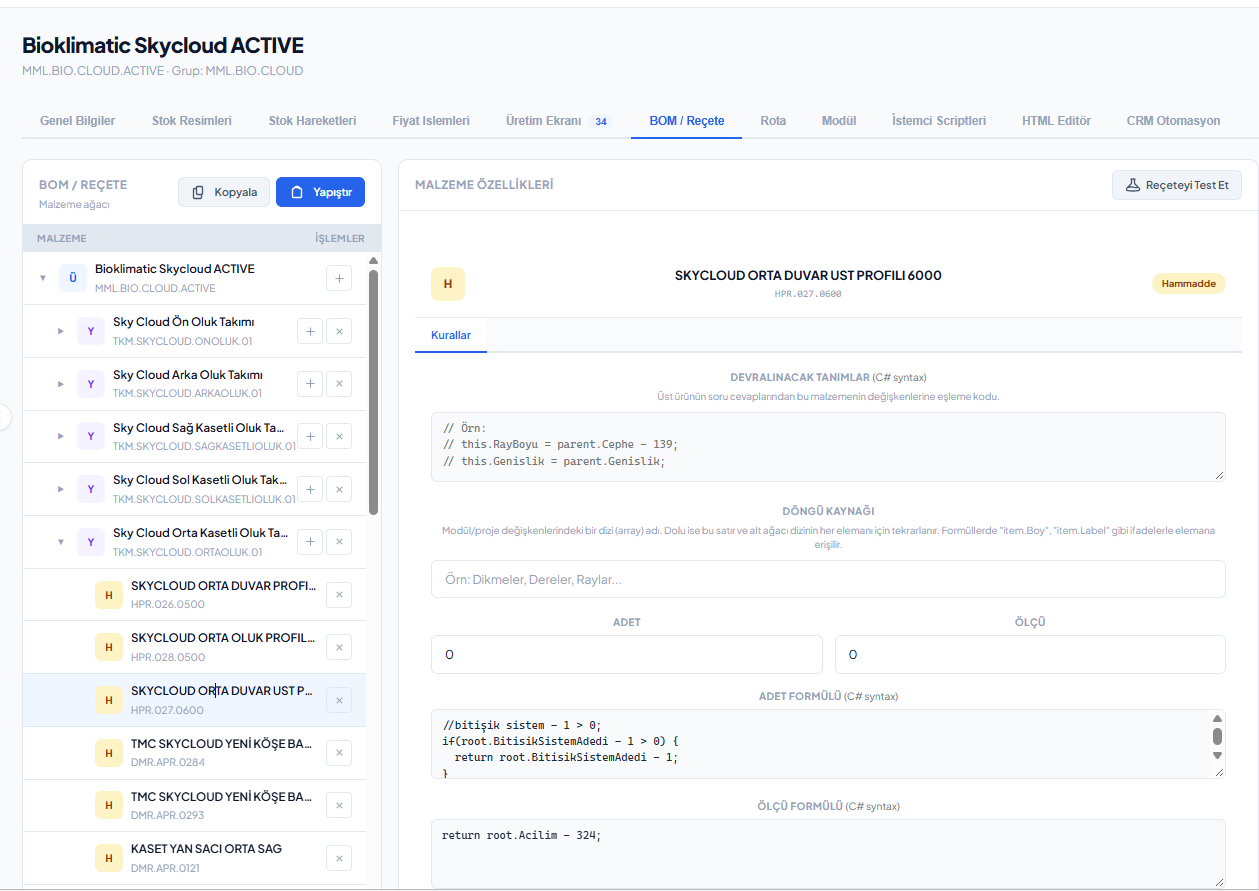
BOM components are defined with quantity and dimension formulas, rules and loop sources. The output type is set as cutting, assembly, packaging or boxing; the BOM can be tried in advance with any set of answers on the BOM test screen.

  • Multi-level BOM with inherited definitions
  • Quantity and dimension formulas, conditional rules, loops
  • Make-to-order parts and output types
  • Copy-paste BOMs, BOM test screen
  • Static and dynamic semi-finished goods costing
Formula-driven component definitions on the stock card BOM tab
Stock and warehouse

From raw material to finished goods, all stock in one place.

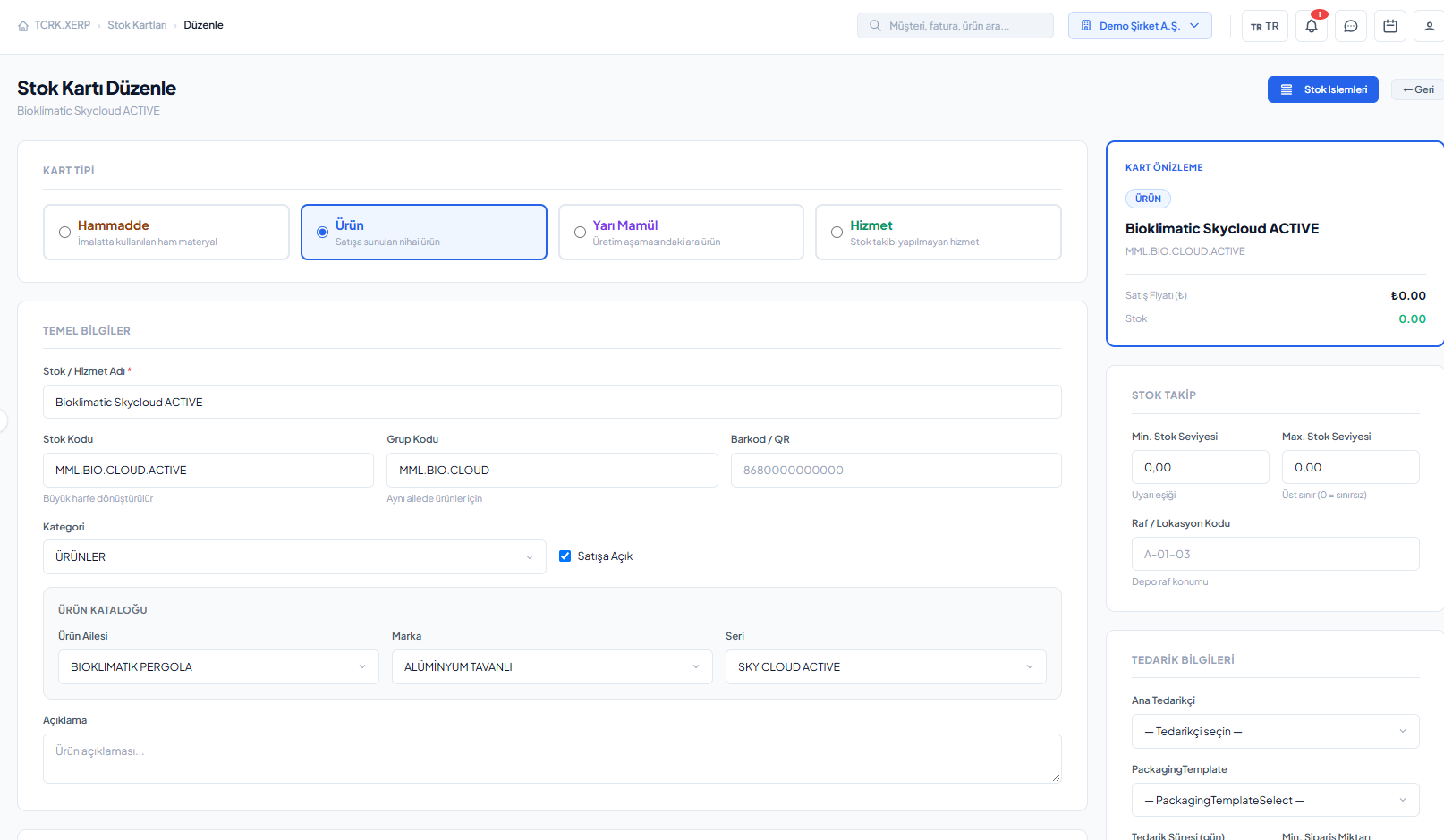
Stock cards are kept as raw materials, finished goods, semi-finished goods and services, in categories such as aluminum profiles, steel profiles, accessories and consumables. Multiple images, price operations and movement history live inside the card.

  • Warehouses, stock slips and automatic slip numbering
  • Receipt, issue, count, transfer and scrap movements
  • Warehouse inventory report and critical stock alerts
  • Product catalog: family → brand → series
  • Mapped stock import from SQL Server and Excel
Stock card details and warehouse inventory
Screens

What's in this module?

1

Stock Cards

General, images, movements, price, production, BOM and routing tabs.

2

BOM Test

Try the BOM output in advance with a set of answers.

3

Product Catalog

Family, brand and series hierarchy.

4

Warehouses

Warehouse definitions and stock per warehouse.

5

Stock Slips

Receipt, issue, count and transfer slips.

6

Stock Movements

Traceable history of all movements.

7

Warehouse Inventory

Quantity and value report per warehouse.

8

Price Parameters

Price variables with live exchange rates.

9

Stock Import

SQL Server / Excel mapping plans.

Place in the chain

The technical memory of the chain.

Every question asked in sales and every material used in production is defined here. When an order is approved, this BOM runs with the answers from the drawing and fills the manufacturing project.

Follow the journey of a sample 4×6 pergola
Frequently asked questions

Common questions

How does the bill of materials (BOM) change with dimensions?

Quantities and dimensions of BOM components are calculated with formulas that use the answers to product questions. When the same product is ordered with a different width and projection, profile lengths, quantities and accessories change automatically.

Can I test a BOM before releasing it to production?

Yes. On the BOM test screen you can enter any set of answers and preview the material list, cutting dimensions and routing.

Can I import my existing stock cards?

Yes. The stock import screen sets up a field mapping plan from SQL Server or Excel sources and imports with a preview.

Live demo

Draw your pergola. Price and bill of materials follow on their own.

In a 30-minute online demo we'll show XERP 3D and TCRK XERP working as One Chain — with your own product family.

Book a Live Demo