Module 03 · TCRK XERP

Manufacturing & Planning

See what your factory is building today and what it will build tomorrow. Which order is in production, which workstation it's waiting at, which work order has started, which due date is coming up: order → routing → workstation → work order → due date, on one screen.

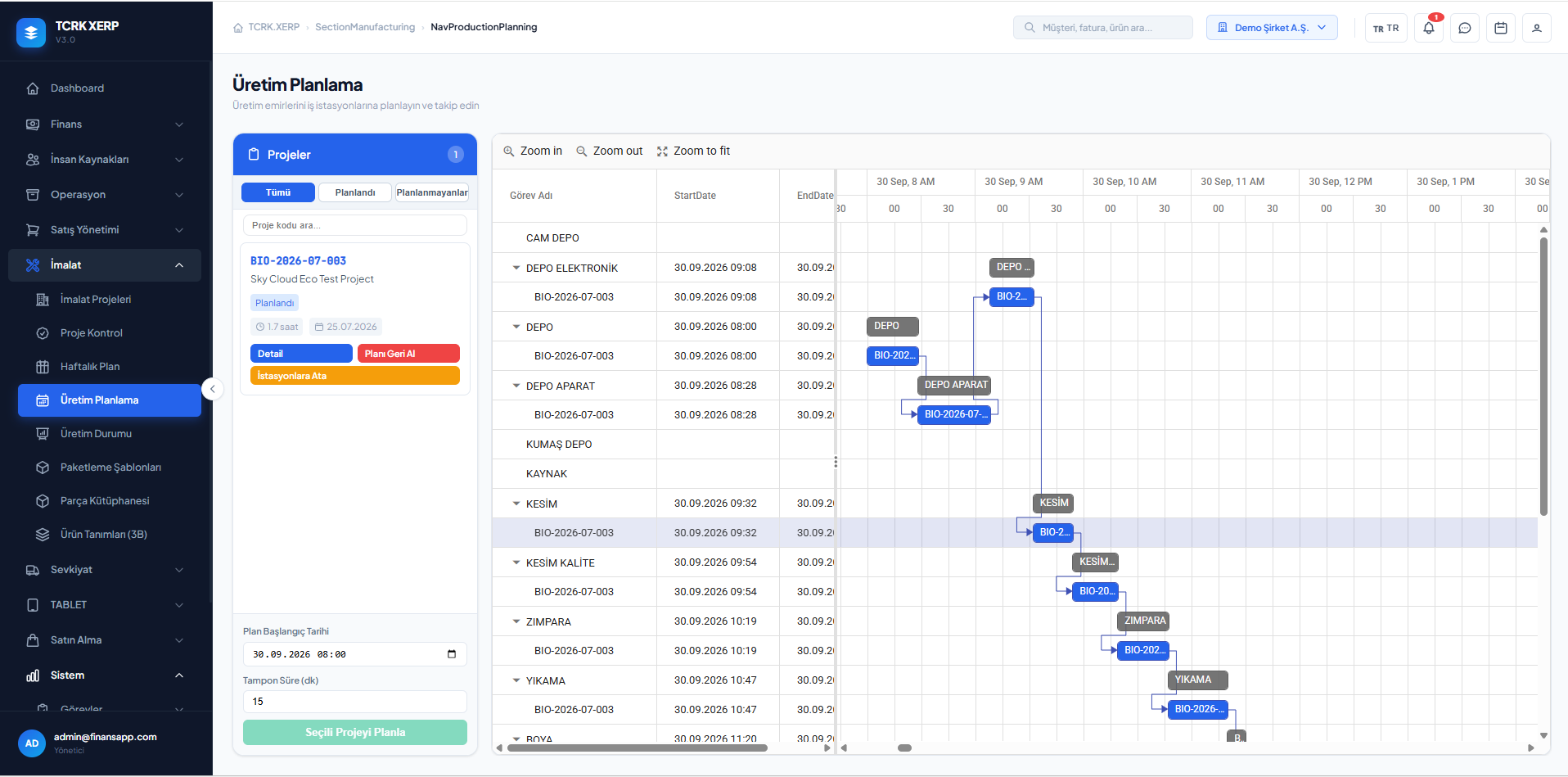
Production planning: Gantt chart by workstation

The TCRK XERP Manufacturing & Planning module creates a manufacturing project from the order with an automatic BOM, optimizes the cut list, runs the project through technical review, and plans production on a weekly plan and Gantt chart with unlimited workstations and free routing.

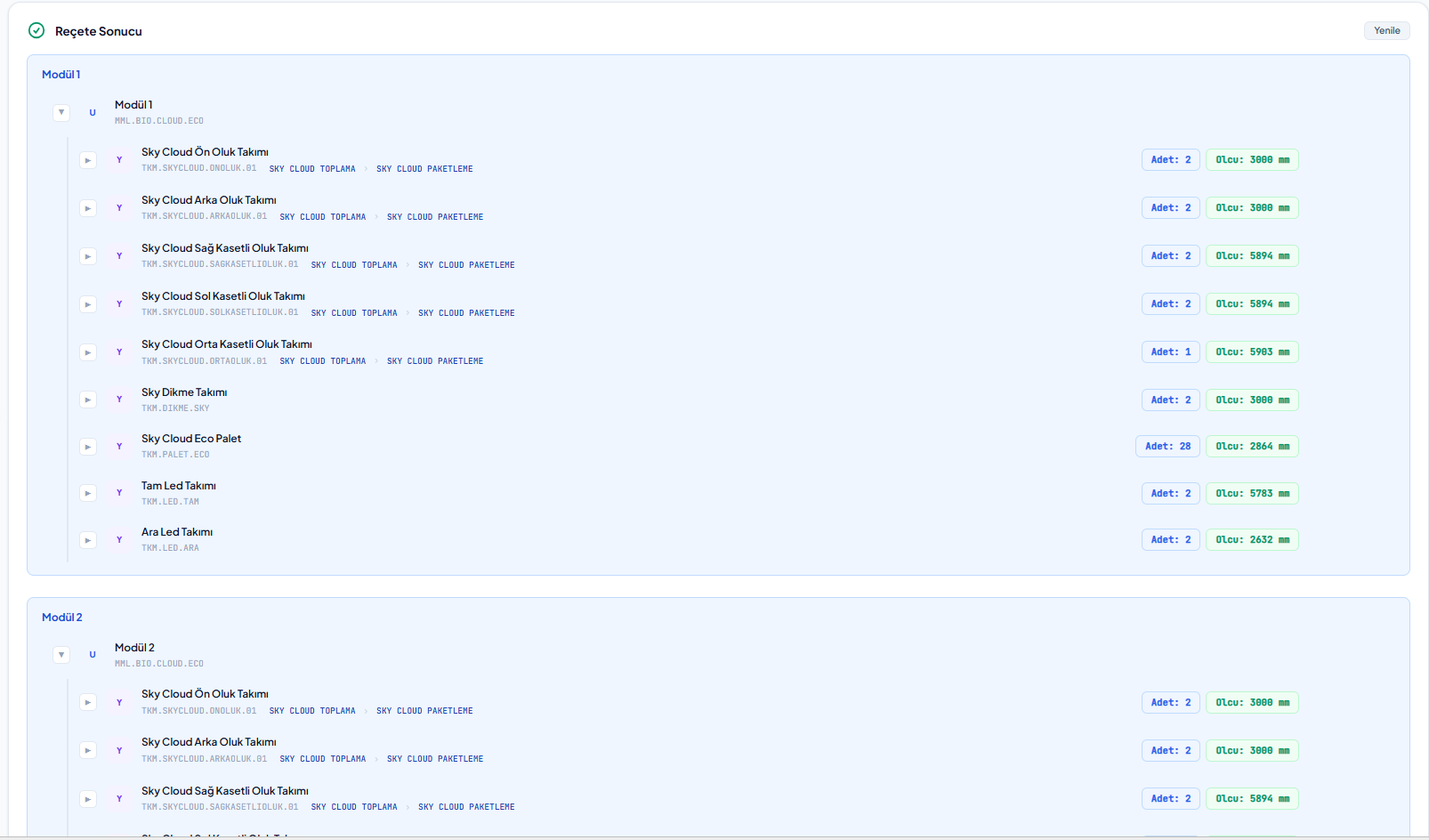
Automatic BOM

Materials, cuts and routing from the order's answers.

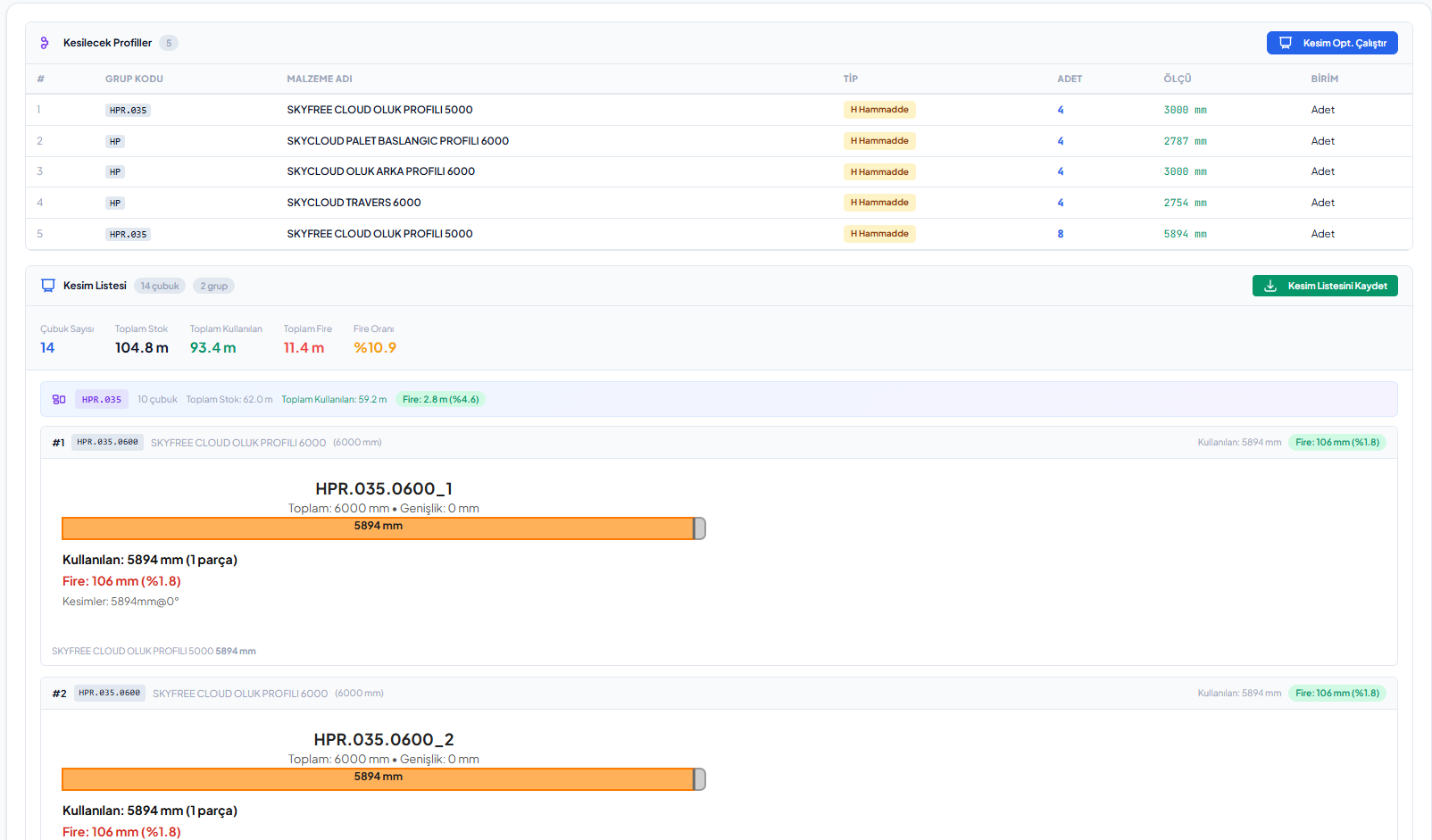
Cutting optimization

Minimum scrap with saw kerf and head/tail trim allowances.

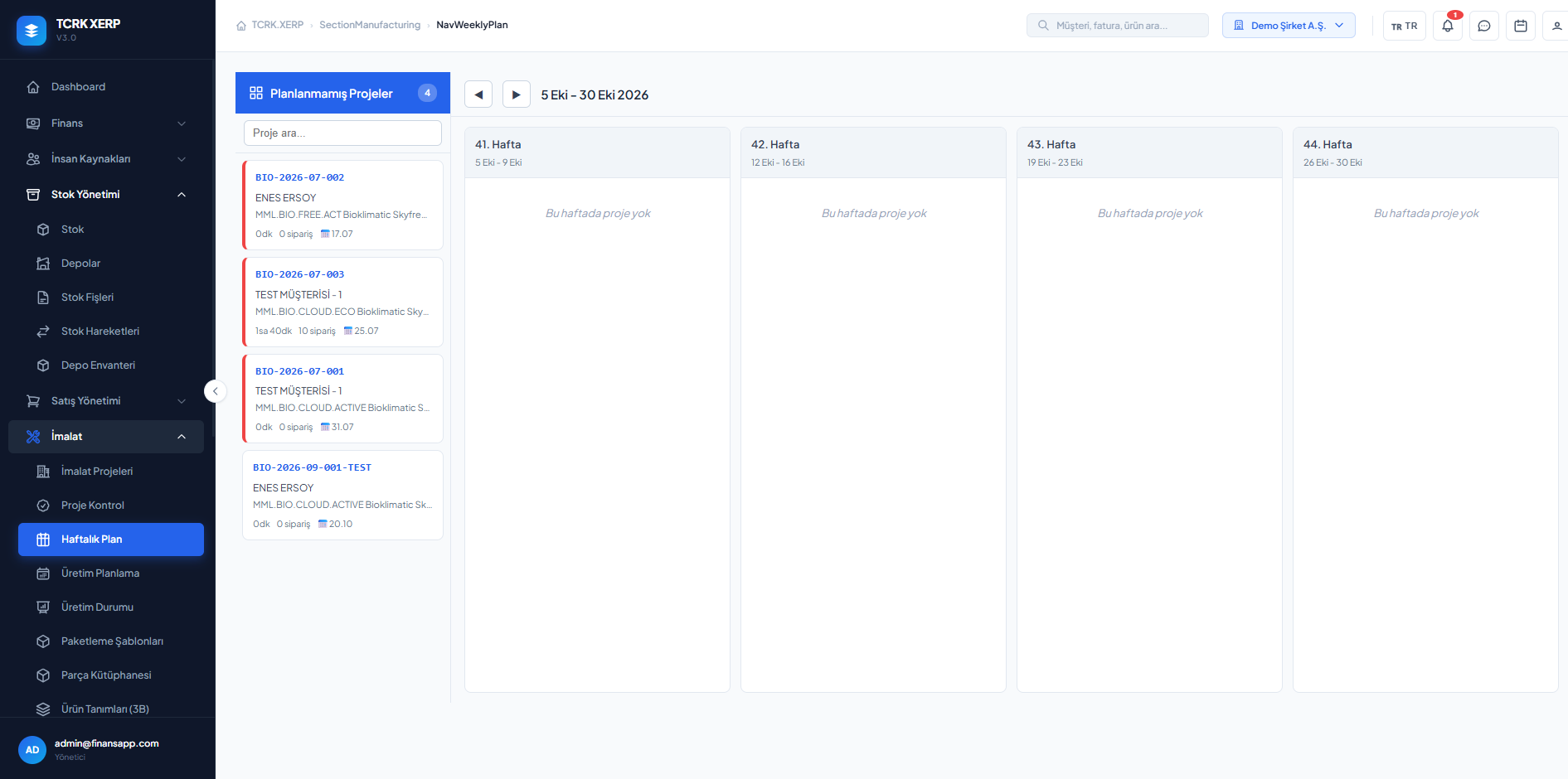
Weekly plan & Gantt

See workstation load and plan with drag and drop.

Unlimited workstations

Your own workstations, your own routing, your own duration algorithm.

Manufacturing project

Every order becomes a complete manufacturing file.

The manufacturing project is linked to the quote and the quote line. Info, BOM, work orders, materials, cutting and packaging tabs are gathered in one file; the 2D/3D drawing is attached to the project.

  • Project code generator and delivery date
  • Crated or partial shipment mode
  • Status chain: New → In Review → In Planning → In Production → Ready to Ship → Shipped
  • Work order PDF and production forms
  • Label printing with barcode and QR
Automatically generated BOM result: assemblies, quantities and dimensions
Cutting and packaging

Spend profile length on product, not on scrap.

The cut list comes from the BOM; cutting optimization splits stock lengths as efficiently as possible, taking saw kerf, left/right trim and stock availability into account. Packaging templates determine which materials go into which package.

  • Automatic cut list and raw profile requirements
  • Adjustable cutting optimization parameters
  • Packaging templates with sub-templates
  • Package creation and labeling
Cutting optimization: profiles to cut, bar layout and scrap rate
Control and planning

Checked projects, balanced workstations.

On the project control screen, the BOM and project are technically approved. In the weekly plan, projects are distributed across weeks; on the production planning screen, work orders are scheduled per workstation on a Gantt chart, pulled back and reassigned.

  • Project control: approve/reject with an approval log
  • Weekly plan: unplanned projects, release to workstations
  • Gantt production planning with buffer time
  • Production status: project and work order progress
  • Workstation types: warehouse, cutting, painting, assembly, packaging, crating, shipping…
Weekly production plan
Screens

What's in this module?

1

Manufacturing Projects

BOM, work orders, materials, cutting and packaging tabs.

2

Project Control

Technical review with approval and rejection log.

3

Weekly Plan

Distribute projects across weeks and release them to workstations.

4

Production Planning

Gantt planning per workstation.

5

Production Status

Project and work order progress.

6

Packaging Templates

Rules from materials to packages.

7

Workstations

Unlimited workstations, types and C# duration algorithms.

8

Routing Templates

Production routings designed as diagrams.

9

Label Templates

Label designs with barcode and QR.

Place in the chain

Where the order turns into production.

The order from sales becomes a BOM, a cut list and work orders here. Planned work orders flow to the shop-floor tablets, and finished projects flow to shipping.

Follow the journey of a sample 4×6 pergola
Frequently asked questions

Common questions

Is the number of workstations limited?

No. You can create as many workstations as you need and define your own routing and workstation duration algorithm for each product.

What does cutting optimization take into account?

It considers stock lengths, saw kerf, left and right trim and stock availability to fit the cut list onto stock lengths with minimum scrap.

What happens when the plan needs to change?

In the weekly plan and Gantt production planning, work orders can be pulled back, rescheduled or reassigned to another workstation; changes appear on the tablet screens instantly.

Live demo

Draw your pergola. Price and bill of materials follow on their own.

In a 30-minute online demo we'll show XERP 3D and TCRK XERP working as One Chain — with your own product family.

Book a Live Demo