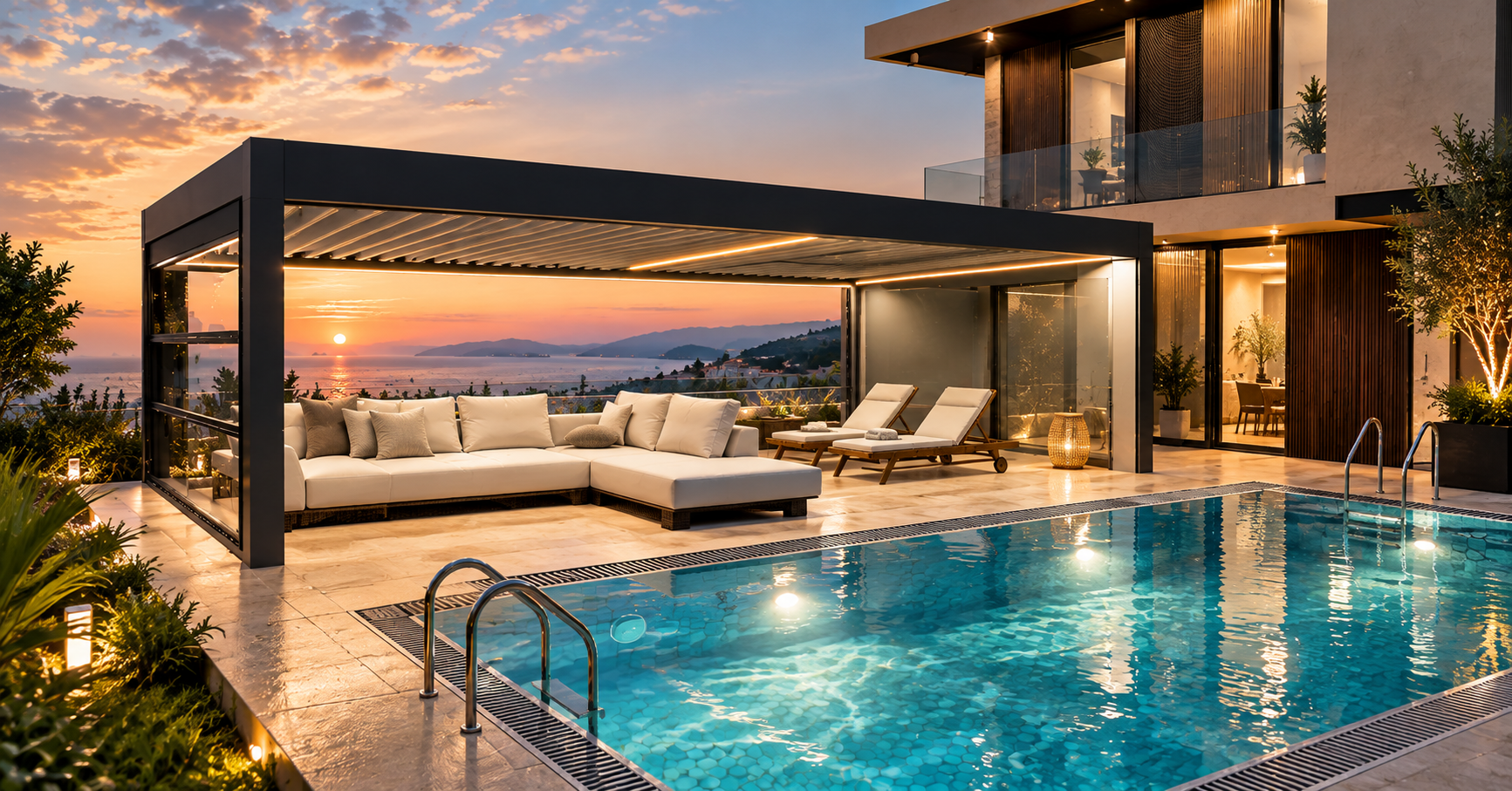
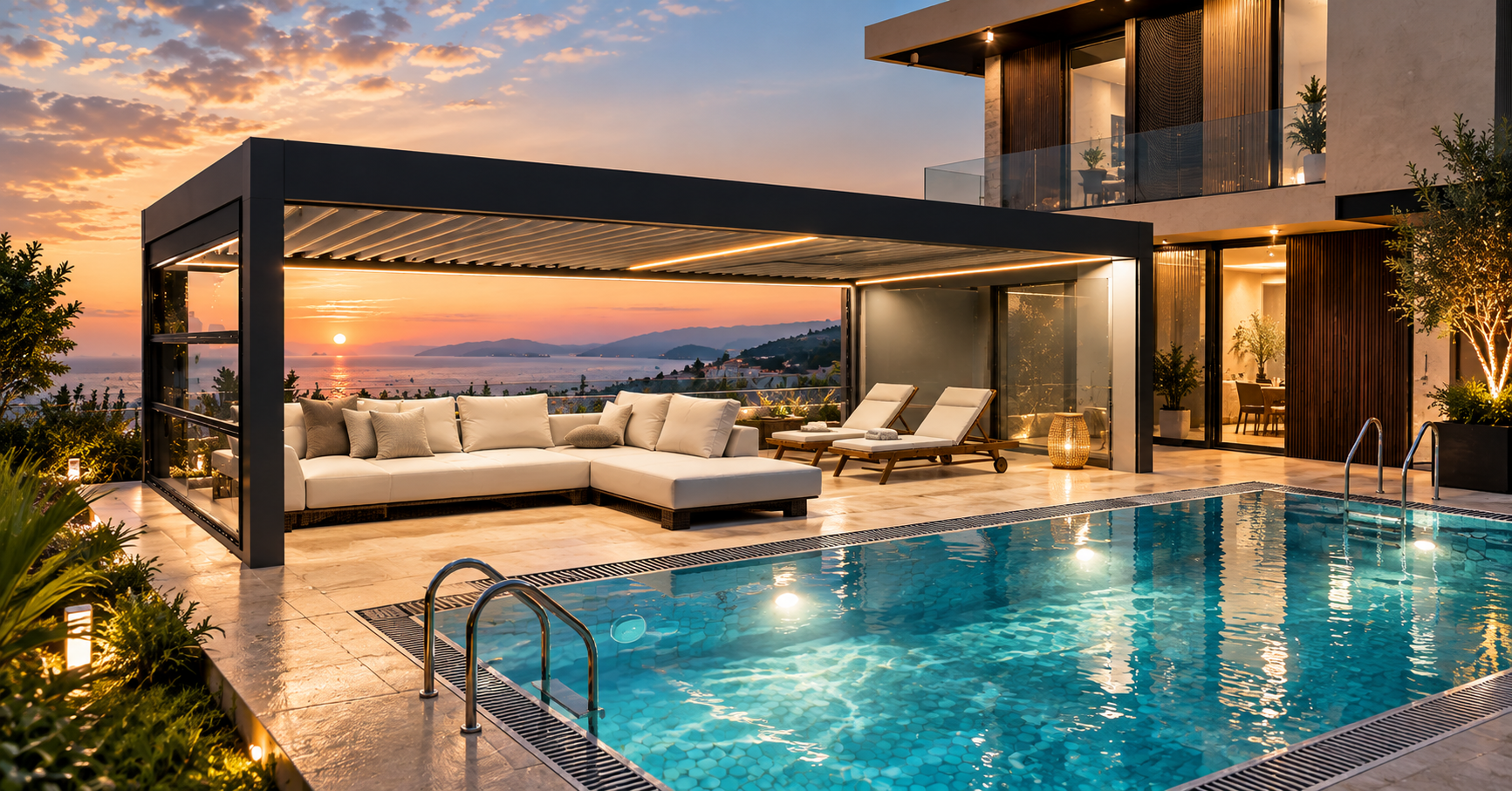
Bioclimatic pergola with LED lighting and folding glass systems on a sea-view villa terrace at sunset
3D sales + factory management platform for pergola manufacturers

Design the pergola in front of your customer. Price it on the spot. Send it straight to production.

Design the pergola your customer wants in 3D, show it in their real surroundings, calculate the price instantly and produce a professional quote in seconds. Once the order is approved, the same data flows into the bill of materials, cut list, work orders and shipment.

One set of data from sale to shipment. One Chain.

  • 3D configuration
  • Instant pricing
  • Automatic BOM
  • Production planning
  • Shop-floor tablets
  • Shipping
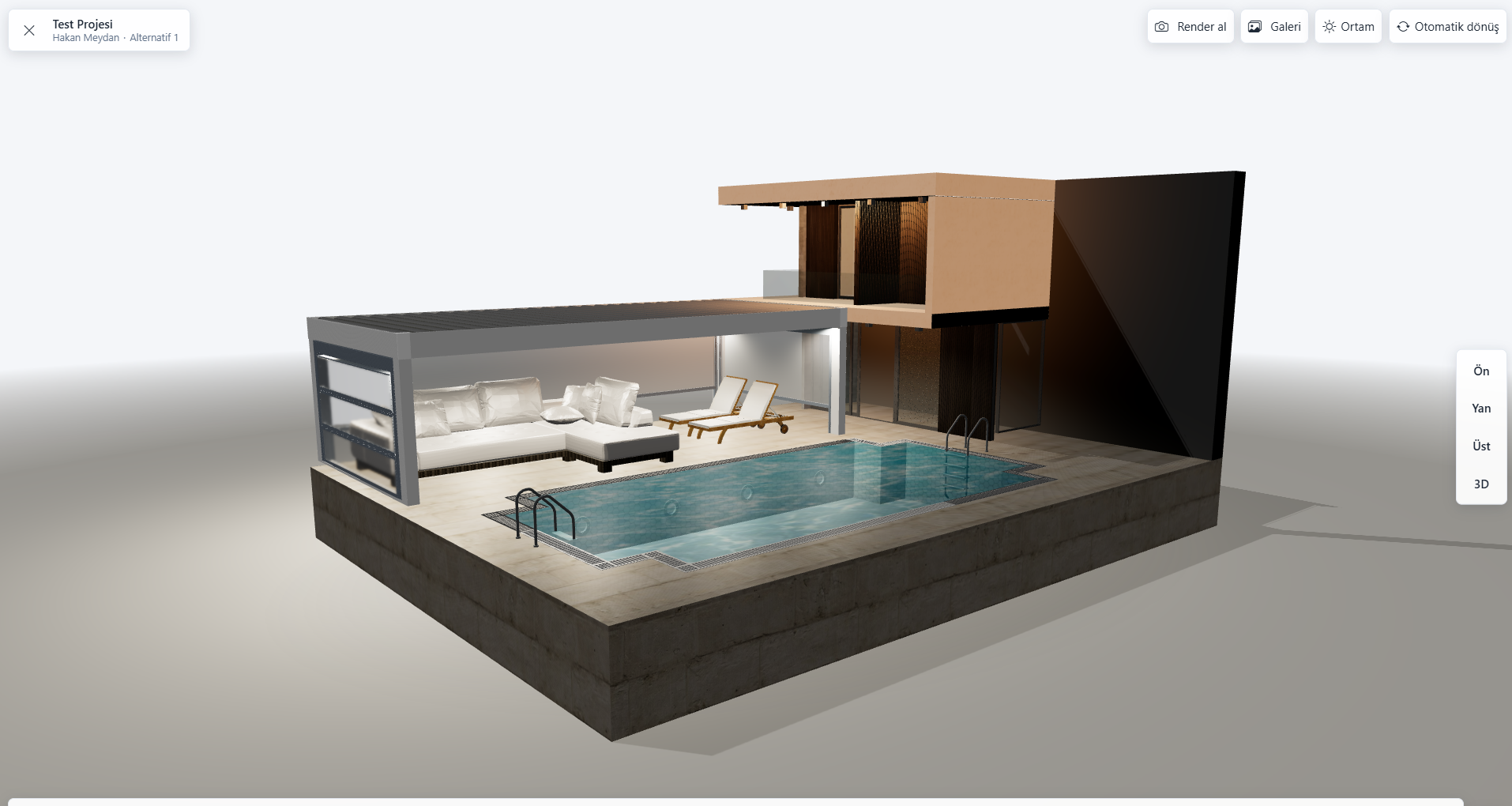
1Design
Bioclimatic pergola in XERP 3D presentation mode
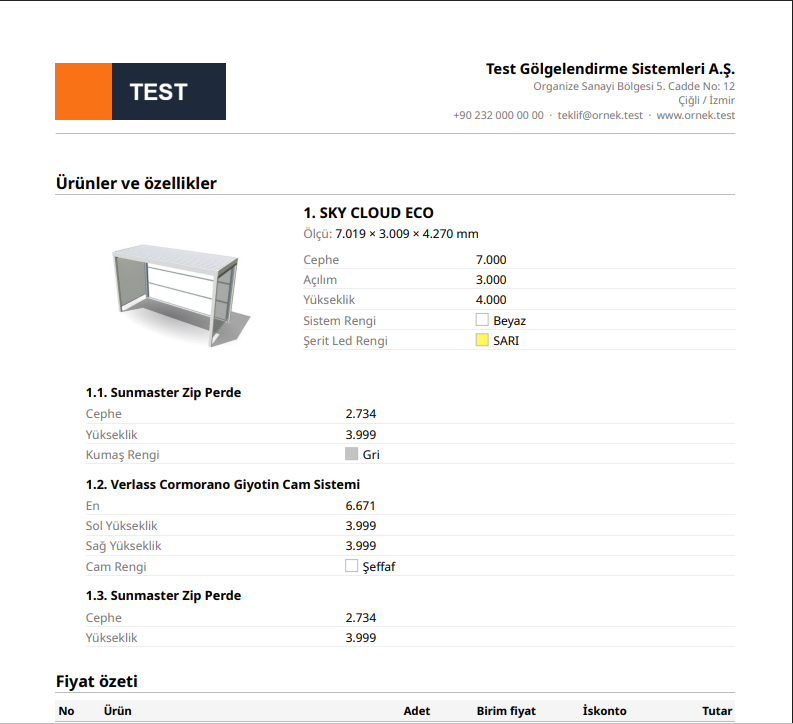
2Price
Automatically calculated price and quote summary for the same pergola
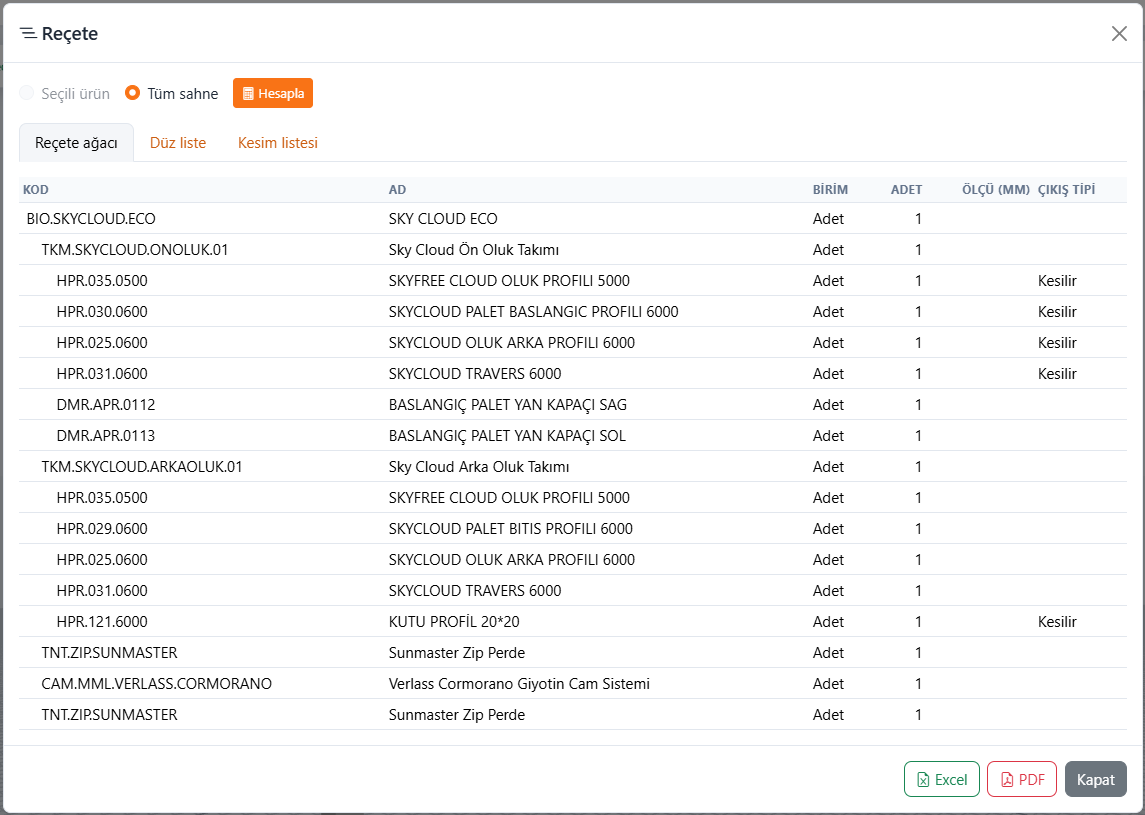
3Send to production
Automatically generated bill of materials for the same order

Not just an ERP.
Not just a 3D drawing tool.

Bring sales and your factory into one system.

For pergola manufacturers, CRK Yazılım runs the entire process on the same data — from the first sketch made in front of the customer to the last shipment leaving the factory.

  1. Draw
  2. Price
  3. Quote
  4. Sell
  5. Build BOM
  6. Plan
  7. Produce
  8. Pack
  9. Ship
Two products, three paths

Which path fits you?

Start small and expand as you grow. XERP 3D runs sales, quoting and the technical office on its own; TCRK XERP runs the factory; together they build One Chain from drawing to truck.

Standalone

XERP 3D

Small and medium-sized manufacturers, dealers

Draw, price, and generate your BOM and cut list — no ERP needed.

  • 3D design, photorealistic renders, AR
  • Instant pricing and PDF quotes from your own price catalogs
  • Stock cards and configuration questions
  • Automatic BOM and cutting optimization (Excel / PDF)
  • A3 technical drawing with title block (DXF / PDF)
  • Dealer and sales team management
Explore XERP 3D
Standalone

TCRK XERP

Factories managing production at scale

Make sure every sales promise is one the factory can build.

  • Quotes, approval stages and orders
  • Manufacturing projects and automatic BOM
  • Weekly plan, Gantt, workstations and routing
  • Shop-floor tablets and live production tracking
  • Crating, loading and shipping
  • Purchasing, finance and human resources
See the factory modules
Together · One Chain

XERP 3D + TCRK XERP

Manufacturers who want full control from sale to shipment

The same data from drawing to truck.

  • The drawing made in front of the customer goes straight into the order
  • The order goes to manufacturing together with its BOM
  • Work orders go to workstation tablets
  • One record all the way to crating and shipping
  • The same information is never re-entered at any step
Explore One Chain

You can start with XERP 3D and add TCRK XERP when your needs grow.

The biggest difference

Don't do the same job twice in your factory.

The old way

  1. Customer measurements on paper
  2. Manual pricing in Excel
  3. Quote in a separate file
  4. Order
  5. Redrawn in the technical office
  6. BOM in Excel
  7. Work order on WhatsApp
  8. Shipment on a separate list
  • The same data is typed in again and again.
  • The risk of errors goes up.
  • Time is wasted.
  • The more scattered the information, the less control you have.

With CRK

  1. Pergola drawn in front of the customer
  2. Automatic price
  3. Quote
  4. Order
  5. Automatic bill of materials
  6. Cutting and routing
  7. Production plan
  8. Work order on the tablet
  9. Crating and shipping

Enter it once. Use it all the way through.

How does it work?

A pergola's entire journey, from sale to shipment.

Each step shows which product does the work: XERP 3D handles the first five steps on its own, and TCRK XERP runs the factory.

  1. 01

    Design

    Design the pergola in front of your customer, with its dimensions, colors and options.

    XERP 3D 3D · Render · AR
  2. 02

    Price

    Calculate the price instantly from the selected product, dimensions and options.

    XERP 3D Automatic price
  3. 03

    Quote

    Turn the design into a professional PDF quote with images and the selected features.

    XERP 3D One-click quote
  4. 04

    Take the order

    Once the quote is approved, turn the sale into an order.

    XERP 3D · TCRK XERP Approval → order
  5. 05

    Build the BOM

    Generate the materials, components and cut list automatically from the products and dimensions in the order.

    XERP 3D · TCRK XERP BOM · cutting
  6. 06

    Plan production

    Distribute work orders to workstations and track the production load on a Gantt chart.

    TCRK XERP Routing · workstation · Gantt
  7. 07

    Produce on the shop floor

    Operators see their work orders on a tablet; start, break and finish are tracked live.

    TCRK XERP Shop-floor tablets
  8. 08

    Crate and ship

    Pack the products, crate them, and complete loading and delivery.

    TCRK XERP Crating · loading · delivery
XERP 3D · Speed up sales

Let your customer see their pergola before it's even built.

Your sales team shouldn't just quote a price — they should let the customer experience the product. Take the sales meeting beyond flipping through a catalog.

Don't answer “How will this pergola look here?” with a catalog. Show it in their own space.
  • Change the size
  • Change the color
  • Add glass
  • Add zip screens
  • Add LEDs
  • See the price instantly

Photorealistic 3D

Show what the pergola will look like before it's built with high-quality renders; presentation mode works on tablets too.

See it on site

Place the pergola at true scale in your customer's garden with AR; they can walk around it and step inside.

Instant pricing

Every change you make to the drawing is reflected in the price instantly, using your own price catalogs.

Instant quote

Turn the design into a professional PDF quote with images and the selected features.

Explore XERP 3D
XERP 3D presentation mode on a tablet: pergola, glass panels and sun settings
Photorealistic pergola render created with path tracing in XERP 3D
Render · High quality
For dealers

Let your dealers sell like your factory's own sales team.

Right there with the customer, your dealer can:

  1. Design the pergola in 3D
  2. Set the dimensions
  3. Choose colors and options
  4. Show the product in the customer's own space
  5. Generate the price
  6. Prepare a PDF quote
  7. Send the order to the factory

And in your factory, the dealer's order flows into production without being typed into the system again and again.

Centralize dealer sales. Keep control of the factory.

Explore the dealer solution
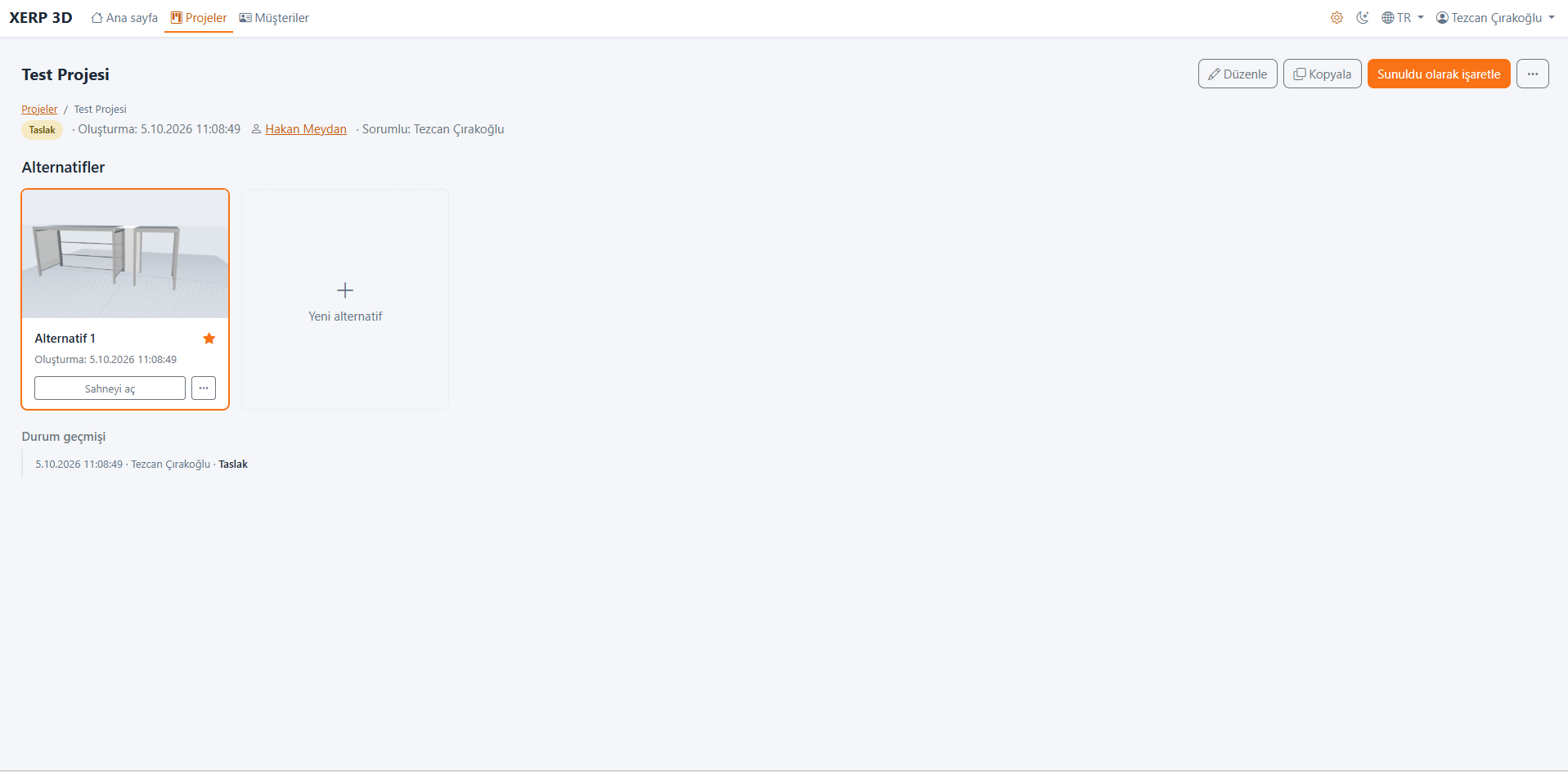
Dealer projects and design alternatives in XERP 3D
Why CRK?

Software that knows the pergola business.

Instead of adapting a general-purpose ERP to pergolas, CRK Yazılım offers a solution designed around the needs of pergola and outdoor-system manufacturing.

01

Made-to-measure sales

Dimensions are at the heart of every pergola sale; price, BOM and drawing all change with them.

02

Product configuration

Product families, brands, series, options and production questions are defined to match your own structure.

03

Bill of materials

The product you sell turns into the materials, cuts and operations needed to build it — automatically.

04

Workstation-based production

Define unlimited workstations and free routing that mirror your factory's real flow.

05

From sale to shipment

From quote to order, from production to crating and shipping, the process runs in one system.

06

Multilingual

Interface and quotes in Turkish, English and Spanish; ready for domestic and export operations.

References

Already in use in the pergola and outdoor industry.

CRK solutions running in real production.

Palmiye Global Yükselen Tente (Rising) Sunset Tente
Live demo

Let's run your factory's own pergola through CRK.

Instead of sending you a generic presentation, we'll show it on your own product structure. In a 30-minute live demo, see how CRK would work in your factory.

Request a demo with my product
  1. 1Design your 4×6 bioclimatic pergola together
  2. 2Calculate its price
  3. 3Create the quote
  4. 4Turn it into an order
  5. 5Generate its BOM
  6. 6Send it to the production plan
Frequently asked questions

Common questions

What is the difference between XERP 3D and TCRK XERP?

XERP 3D handles sales, design, quoting and the technical office; TCRK XERP handles production and operations. Used together, data flows automatically from drawing to pricing, and from order to bill of materials and shipment.

Can XERP 3D be used without TCRK XERP?

Yes. XERP 3D can be used on its own for 3D design, pricing and PDF quotes from your own price catalogs, automatic BOMs, cut lists and A3 technical drawings. For small and medium-sized manufacturers it is enough on its own.

Can TCRK XERP be used without XERP 3D?

Yes. TCRK XERP can be used on its own to manage quotes, orders, production, stock, shipping, purchasing and finance.

Can prices be calculated automatically?

Yes. Prices are calculated instantly from the product, dimensions and options, using your price catalogs and formulas.

Can the bill of materials be generated automatically?

Yes. A multi-level BOM and cut list are generated automatically from the product and dimension data, following the production rules you define.

Are only pergolas supported?

No. Besides pergolas and bioclimatic pergolas, product families such as glass systems, zip screens, awnings and similar products can also be defined.

Can dealers use the system?

Yes. Dealers use XERP 3D in the field for 3D design, product presentation and quoting; each dealer sees only their own customers.

Can the software be used outside Türkiye?

Yes. The interface is available in Turkish, English and Spanish, and quotes can be generated in the customer's language.

XERP 3D + TCRK XERP

Bring your pergola production into One Chain.

From the first line drawn in front of the customer to the last work order in your factory.

Draw. Price. Sell. Build. Ship.

Book a Live Demo