Module 05 · TCRK XERP

Shipping & Crating

Ship what you built to the right customer, in the right crate. Production → package → crate → loading → shipment → delivery — stay in control even after it leaves the factory gate.

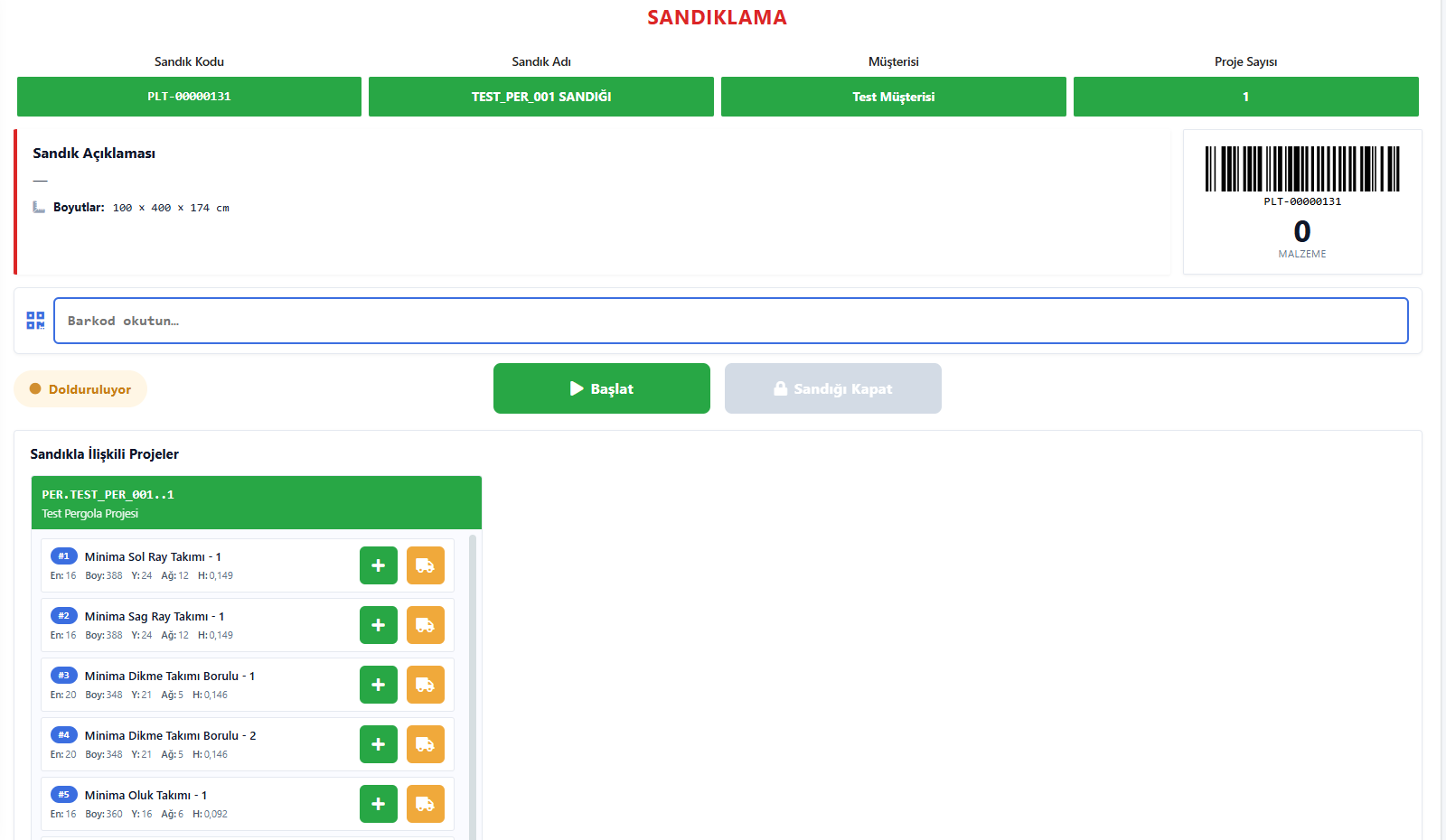
Crating screen on a tablet: crate code, barcode scanning and project parts to add to the crate

The TCRK XERP Shipping & Crating module places ready-to-ship pergola projects into crates and pallets, manages partial shipments, builds shipping plans per customer and vehicle, records loading on the tablet and closes the process with a delivery note.

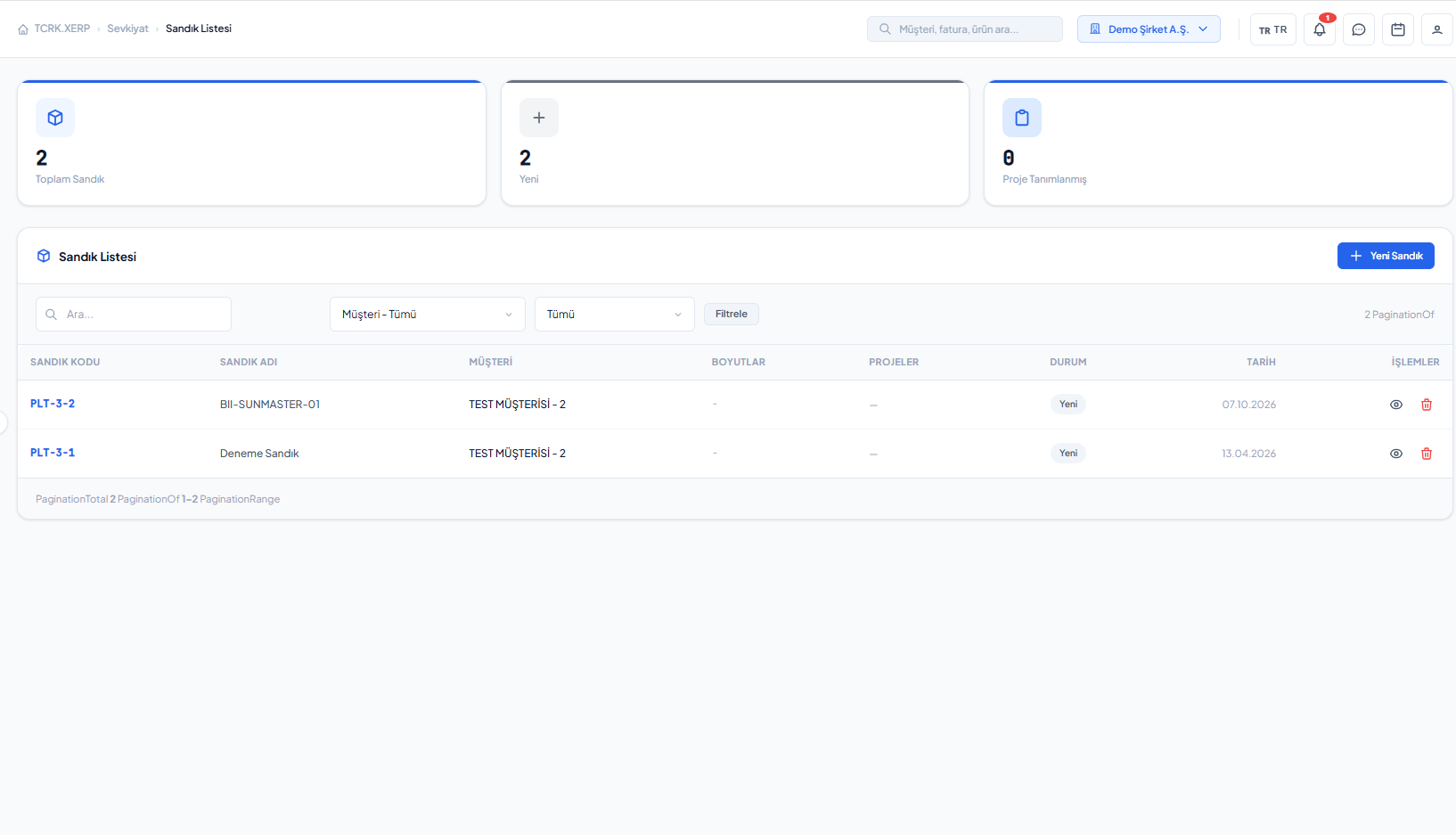
Crates & pallets

Multiple projects in one crate; content types.

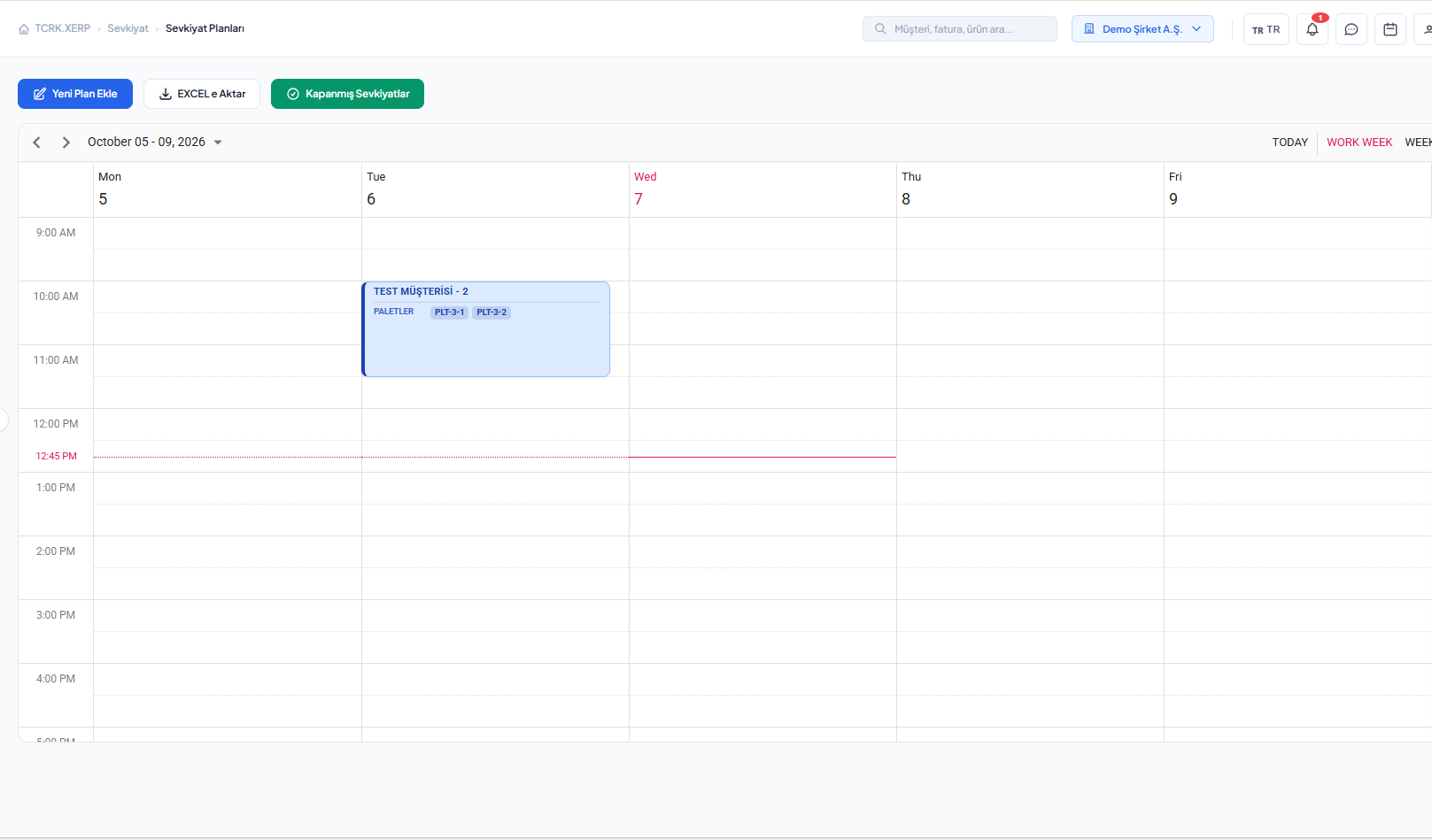
Shipping plan

Customer, vehicle, transport mode and loading time.

Tablet loading

Start, pause, complete; every step recorded.

Delivery note

Delivery record and activity log.

Crates and packages

From package to crate, from crate to vehicle.

Ready-to-ship projects are listed and go through a loading check. Crates are created, projects are added to or removed from crates; projects that need partial shipment are loaded in parts.

  • Projects to ship and loading check
  • Crate/pallet creation, adding and removing projects
  • Multiple projects in a single crate
  • Partial shipment support
Crate and pallet list
Plan and loading

The right crate, the right vehicle, the right customer.

Shipping plans are created per customer; crates and partial loads are assigned to the plan. Land, sea and air transport are supported. Loading is started and completed on the tablet, and the delivery note is recorded.

  • Shipping plans per customer
  • Land, sea and air transport modes
  • Tablet loading: start, pause, complete, undo
  • Delivery note record and log
Shipping plan: customer, vehicle and transport mode
Screens

What's in this module?

1

Projects to Ship

Ready-to-ship projects and loading check.

2

Crates / Pallets

Crate creation, adding and removing projects.

3

Shipping Plans

Customer, vehicle, transport mode, crate assignment.

4

Tablet Loading

On-site record of loading steps.

5

Delivery Note

Delivery record and log.

Place in the chain

The last link in the chain.

Packages coming out of production are crated and loaded here. With the delivery note, the project becomes 'Shipped'; the chain that started with a drawing closes here.

Follow the journey of a sample 4×6 pergola
Frequently asked questions

Common questions

Can I ship several projects in the same crate?

Yes. Multiple projects can be added to one crate, and a single project can be split across several shipments as a partial shipment.

Which transport modes are supported?

Land, sea and air transport can be defined in shipping plans.

How is loading tracked on site?

Loading is started on the tablet screen, paused if needed and completed; the shipment is closed by recording the delivery note.

Live demo

Draw your pergola. Price and bill of materials follow on their own.

In a 30-minute online demo we'll show XERP 3D and TCRK XERP working as One Chain — with your own product family.

Book a Live Demo