Module 10 · TCRK XERP

Platform & Security

The software adapts to the way you work, not the other way around. Permissions are fine-grained, rules can be extended with code, and data moves in easily.

The TCRK XERP Platform & Security layer provides role-based permissions per module, screen and action, a multilingual interface, a customizable widget dashboard, pricing, duration, label and quote rules written in C#, no-code user tables, and data import from SQL Server and Excel.

Fine-grained permissions

10 modules, 51 screens, more than 500 actions.

Multiple languages

TR, EN, ES; new languages and translation management.

Customization with C#

Pricing, duration, label, quote and automation rules.

Data import

Mapped import from SQL Server and Excel.

Permissions and security

Everyone sees only what their job requires.

Permissions are defined in a module → screen → action → role tree; each action can be granted to a role individually. Dashboard widgets and workstations have their own permissions too.

  • Role management and permission tree editor
  • Per-widget permissions
  • User management
  • Workstation permissions per employee
Customization

You write the rule, the software applies it.

Price formulas, workstation duration algorithms, label and quote PDF templates and CRM automations are written in C# in the built-in code editor and compiled instantly. With user tables, you create your own data tables without writing code.

  • Built-in C# code editor with runtime compilation
  • Price formulas, duration algorithms, label and quote templates
  • No-code user tables; import from Excel
  • Use user tables in scripts, queries and widgets
Language and data

Start in your own language, with your own data.

Each user works with the interface in their own language; new languages are added and translations edited on the language management screen. The data import module previews and imports from SQL Server databases and Excel files using mapping plans.

  • Turkish, English and Spanish interface
  • Language management: add keys, translate inline
  • SQL Server and Excel mapping plans, connection test, preview
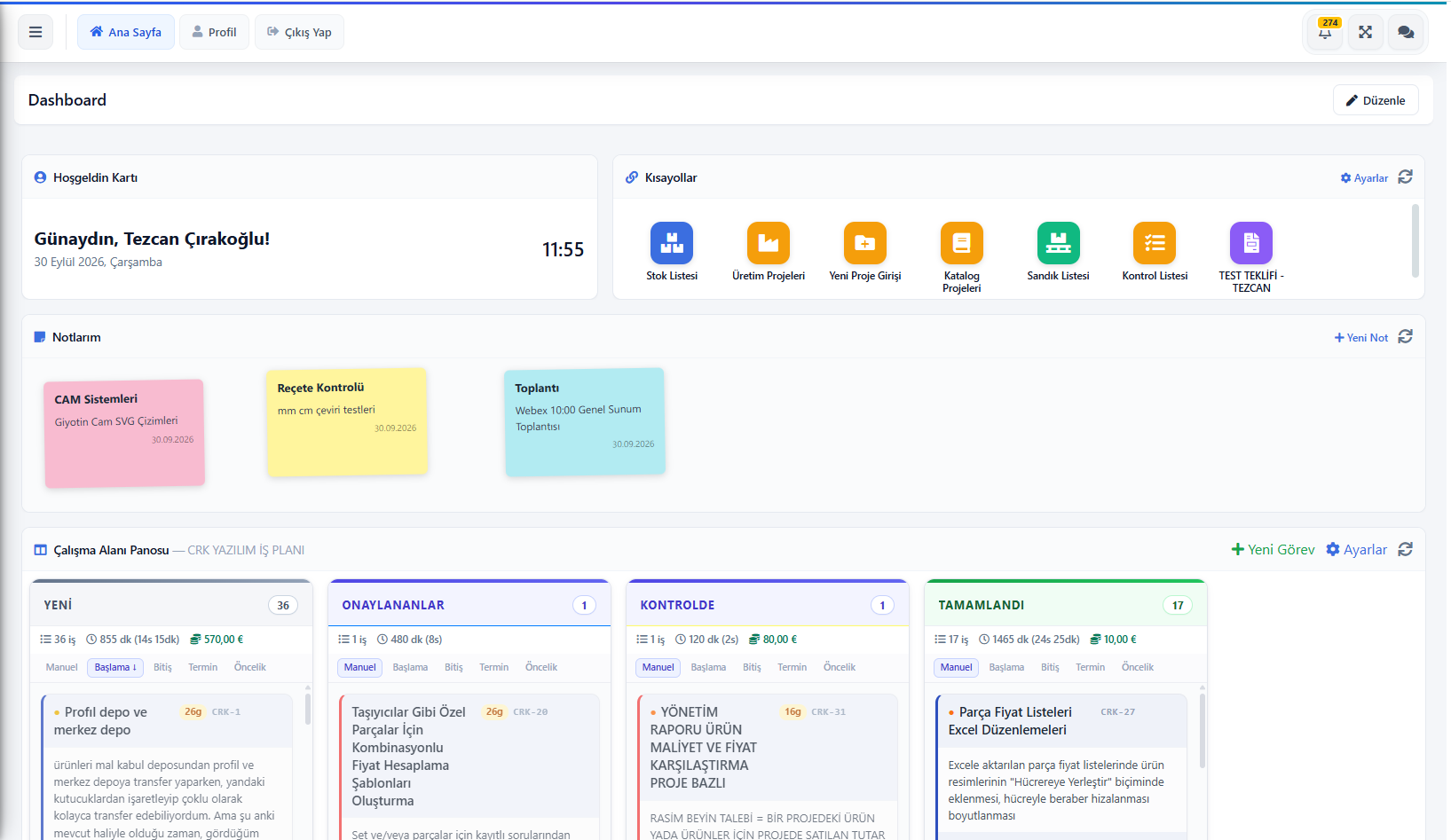
  • Customizable widget dashboard, notes and shortcuts
  • REST API for mobile apps
TCRK XERP dashboard: shortcuts, notes and Kanban task board
Screens

What's in this module?

1

Role Management

Permission tree per module, screen and action.

2

User Management

Users, roles, status.

3

Widget Permissions

Access to dashboard components.

4

Language Management

Languages, translation keys, inline editing.

5

User Tables

No-code custom data tables.

6

Data Import

SQL Server / Excel mapping and import.

7

General Settings

Company and system settings.

Place in the chain

The foundation beneath the chain.

Permissions, languages and custom rules are shared across all modules. A price formula defined once runs both in quotes and in XERP 3D; a duration algorithm runs both in planning and on the tablets.

Follow the journey of a sample 4×6 pergola
Frequently asked questions

Common questions

How granular can permissions be?

Permissions are defined per role at the module, screen and action level; each action can be switched on or off individually. Dashboard widgets and production workstations have separate permissions as well.

Can we customize the software to our own business rules?

Yes. Price formulas, workstation duration algorithms, label and quote templates and CRM automations are written in C# inside the application and compiled at runtime.

Which languages is the interface available in?

Turkish, English and Spanish are ready out of the box; new languages can be added and translations edited from the language management screen.

Live demo

Draw your pergola. Price and bill of materials follow on their own.

In a 30-minute online demo we'll show XERP 3D and TCRK XERP working as One Chain — with your own product family.

Book a Live Demo